

Adobe has always been a favorite among creatives. With the launch of Adobe Firefly, it’s raising the bar once again. This new tool uses generative AI to help people create amazing content. Whether you are a designer, artist, or marketer, Firefly makes it easier than ever to bring your ideas to life.
What is Adobe Firefly?
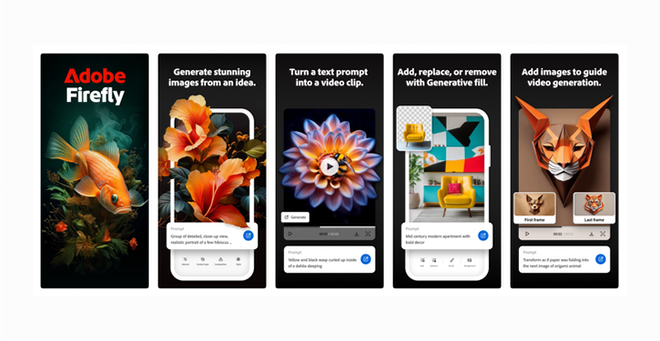
Adobe Firefly is a suite of tools that helps you generate images, animations, and designs just by describing what you want. If you can think it, Firefly can help you make it. This tool is part of Adobe’s Creative Cloud, and it works smoothly with other Adobe apps.
Key Features of Adobe Firefly
- Text-Based Content Generation: Simply type what you want, and Firefly creates visuals based on your description.
- Seamless Integration: Firefly works well with other Adobe products like Photoshop and Illustrator.
- Customization Options: You can tweak and adjust AI-generated designs to fit your vision.
- Versatility: Firefly helps with various creative needs, from social media posts to marketing materials.
- Unlimited Inspiration: Stuck on an idea? Firefly can generate suggestions to spark your creativity.
Why Use Adobe Firefly?
1. Speed Up Your Workflow
Firefly can create content in seconds. No more waiting for drafts. This means you can try out different ideas quickly and focus on refining your work.
2. Cost-Effective
Hiring a designer can be expensive. Firefly lets anyone create high-quality images without the high costs. Now, you can produce stunning visuals on a budget.
3. Boost Collaboration
Firefly makes teamwork easier. You can generate a starting point for designs, and everyone can contribute their ideas and feedback.
4. Personalize Your Content
Need targeted marketing material? Firefly can help create custom visuals that speak to specific audiences. This increases engagement and relevance.
5. Overcome Creative Blocks
Sometimes, everyone hits a wall. Firefly acts as your assistant, generating fresh ideas that can help you break through and keep creating.
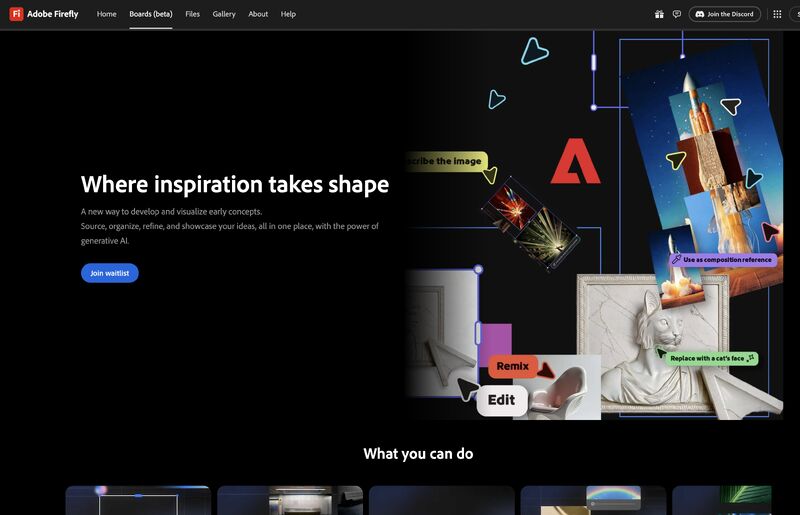
How is Adobe Firefly Disrupting Creativity?
1. Changing Creative Roles
With tools like Firefly, the roles in creative teams are changing. Creatives can focus on refining AI-generated materials rather than starting from scratch.
2. Expanding Access to Creativity
Firefly allows anyone, even those without design skills, to create professional-looking visuals. This opens doors for a wider range of creators.
3. New Opportunities
As businesses look for quick and affordable content, the demand for tools like Firefly will keep growing. This creates new paths for income and creativity.
Frequently Asked Questions
1. What is generative AI?
Generative AI creates content based on input. Firefly uses this technology to help you generate visuals quickly.
2. Can I use Firefly for various projects?
Yes! Use Firefly for illustrations, social media graphics, and more.
3. Do I need design skills to use Firefly?
Not at all! Firefly is user-friendly. You can create impressive designs without any experience.
4. How does Adobe ensure quality?
Adobe constantly trains its AI algorithms to produce high-quality content. They work hard to keep standards high.
5. How can I adjust generated content?
Firefly lets you make changes and provide feedback. This helps refine the AI’s outputs to match your style.
Pricing and Subscriptions
Adobe offers several pricing plans for Firefly as part of Creative Cloud. Here’s a breakdown:
1. Individual Plan
- Photography Plan: $9.99/month (includes Lightroom and Photoshop)
- Single App (e.g., Illustrator): $20.99/month
- All Apps Access: $52.99/month (includes everything)
2. Business Plan
- Single App: From $33.99/user/month
- All Apps: From $79.99/user/month, with added business features.
3. Student and Teacher Plan
- All Apps Access: $19.99/month for eligible students and educators.
Check the Adobe Pricing Page for more details.
How to Create an Adobe Account
Getting started with Adobe Firefly is easy. Just follow these steps:
- Visit the Adobe Sign-Up Page: Go to the Adobe Sign-Up Page to start.
- Choose Your Plan: Pick the plan that fits your needs.
- Enter Your Details: Fill in your name, email, and payment info.
- Verify Your Email: Check your inbox for a verification email and follow the instructions.
- Download Creative Cloud: After signing up, download the Creative Cloud app to access Firefly.
- Start Creating: Open Adobe Firefly from your app and let your creativity flow!
Conclusion
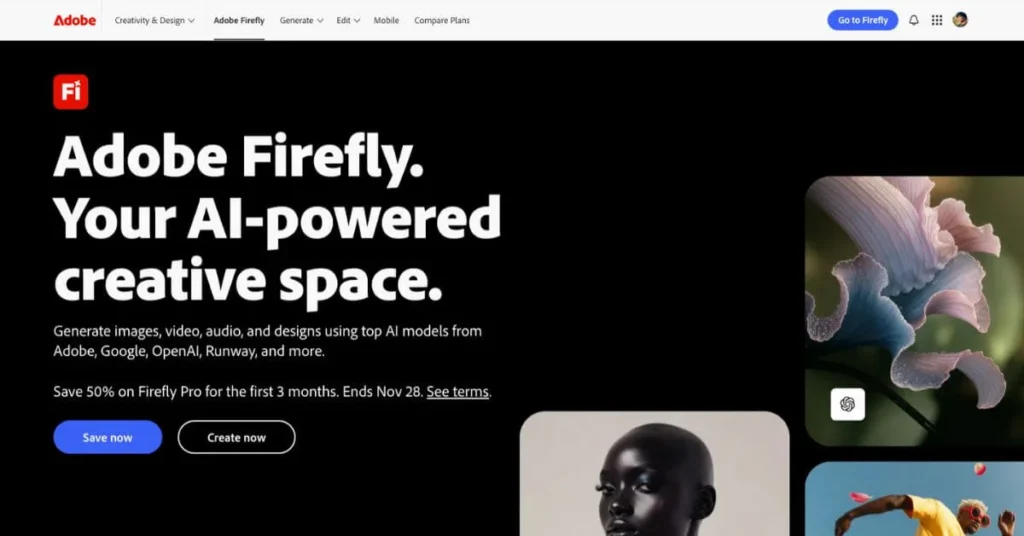
Adobe Firefly is changing the creative game. It makes design more accessible and faster without sacrificing quality. Whether you’re a pro or a beginner, Firefly opens up new opportunities for everyone.
Ready to Get Started?
Explore what Adobe Firefly can do for you. Sign up now and unleash your creativity!
Leave a Reply