
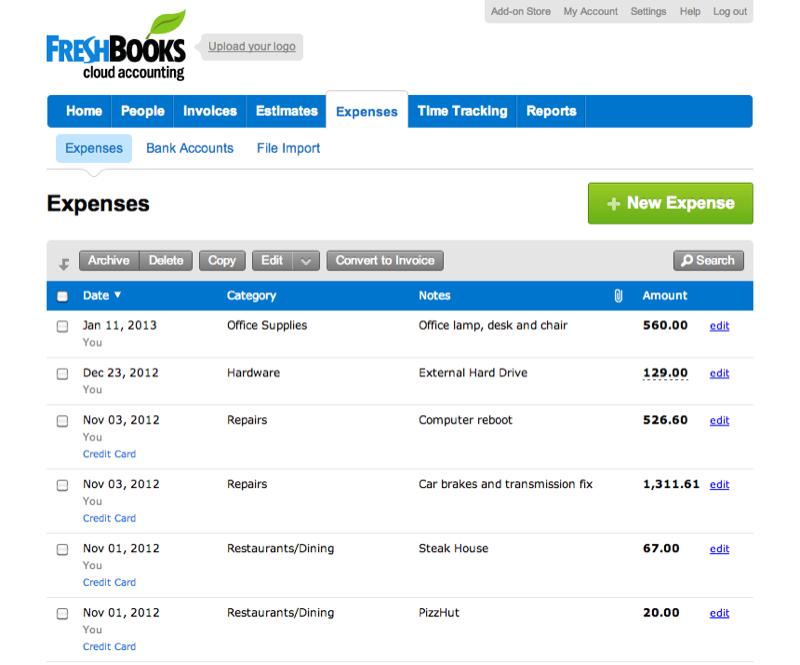
In the competitive world of freelancing and small business operations, managing finances is essential. Many accounting software options exist, but FreshBooks stands out as a leading choice. It combines simplicity, robust features, and a user-friendly interface that appeals to those who may not be accounting experts. In this blog post, we will compare FreshBooks with leading competitors, discuss its benefits, and explore why it’s the superior choice for modern businesses.
FreshBooks vs. Competitors
Overview of Competitors
FreshBooks is not alone in the accounting software arena. Other leading competitors include:
- QuickBooks Online
- Xero
- Wave
- Zoho Books
While these platforms each offer distinct advantages, FreshBooks shines in several key areas.
FreshBooks vs. QuickBooks Online
QuickBooks Online is a powerful contender with a long history in the accounting field. However, it can be overwhelming for new users. Its extensive features may confuse those who only need basic accounting tools.
Why FreshBooks is Better:
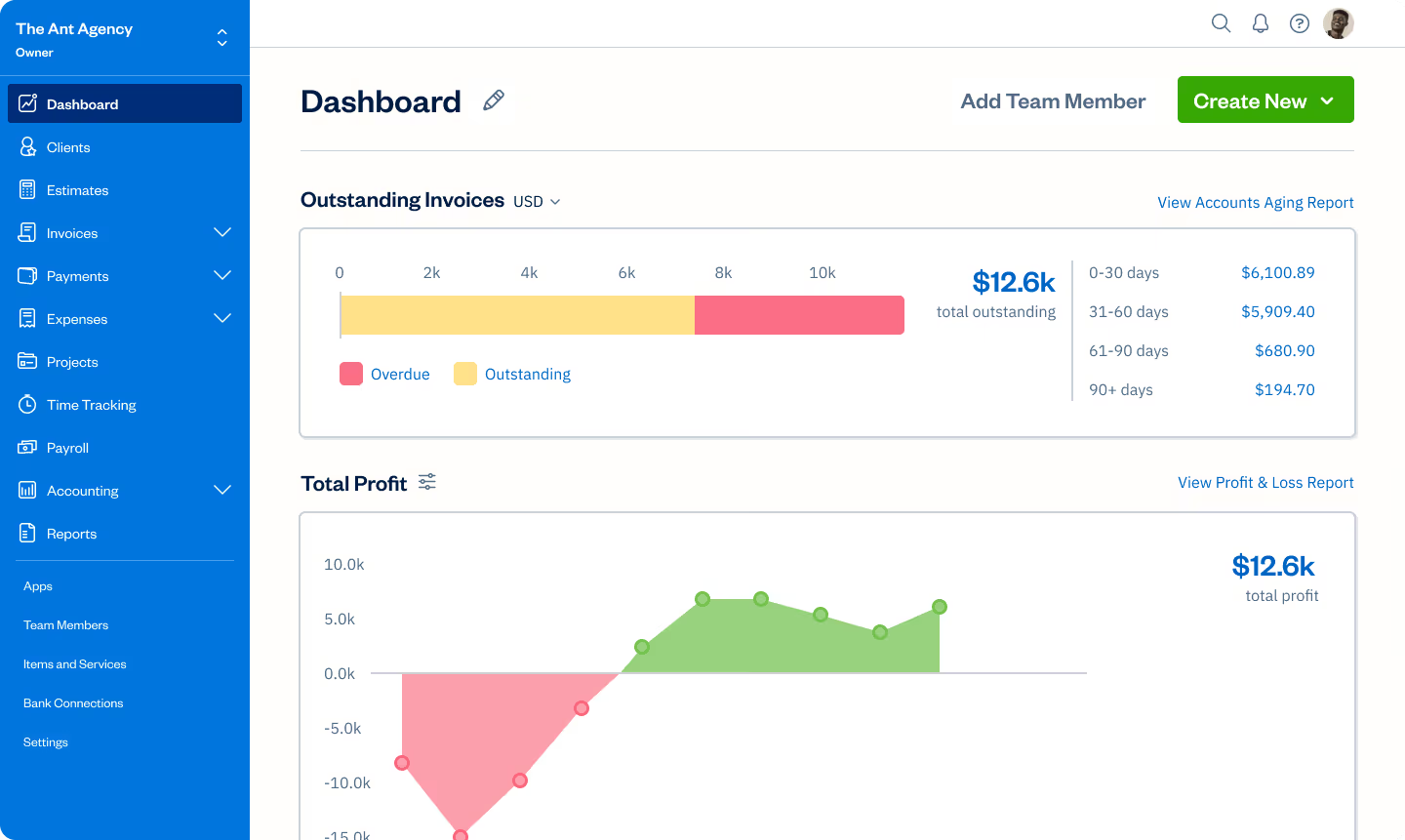
- User-Friendly Interface: FreshBooks focuses on simplicity. Its dashboard is straightforward and easy to navigate.
- Time Tracking: FreshBooks allows clients to add billable hours directly to invoices seamlessly.
- Customer Support: FreshBooks has a reputation for excellent customer service, with responsive support via chat and email.
FreshBooks vs. Xero
Xero is another strong competitor, especially popular among small businesses. While it offers great features, its complexity can deter some users.
Why FreshBooks is Better:
- Simplicity: FreshBooks emphasizes ease of use. It’s tailored for those who want straightforward functionality without overwhelming complexity.
- Customizable Invoices: FreshBooks allows extensive invoice customization, which appeals to freelancers and creatives looking to showcase their brand.
FreshBooks vs. Wave
Wave is a free accounting tool, making it appealing to startups and small businesses. While it offers several basic features for no cost, it lacks advanced functionalities.
Why FreshBooks is Better:
- Comprehensive Features: FreshBooks provides a robust set of features not available in Wave, even in its paid versions.
- Professional Support: Wave offers limited support, while FreshBooks provides quality customer service.
FreshBooks is primarily used for accounting tasks, including invoicing, expense tracking, time management, and generating reports.
FreshBooks vs. Zoho Books
Zoho Books offers solid accounting features, especially for small businesses. Its pricing is competitive but can vary based on service needs.
Why FreshBooks is Better:
- Investment in User Experience: FreshBooks puts more attention on creating a seamless user experience, making it a favorite among those who prefer simplicity.
- Mobile App Quality: FreshBooks’ mobile app has received praise for its ease of use, allowing business owners to manage finances on the go effortlessly.
Benefits of Using FreshBooks
1. Easy to Use
FreshBooks is designed for everyone. You don’t need to be an accountant to navigate its features. The simple layout and intuitive design make it easy to manage your finances.
2. Time-Saving Features
With automation for recurring invoices and expense tracking, FreshBooks saves you time. These efficiencies allow you to focus on growing your business instead of crunching numbers.
3. Fast Payments
FreshBooks offers online payments. Clients can pay invoices with just a click. This speeds up cash flow and reduces the hassle of following up on late payments.
4. Detailed Reporting
You can generate various reports with FreshBooks to track income, expenses, and profitability. This insight helps you make informed decisions for your business.
5. Excellent Customer Support
FreshBooks is known for responsive customer service. If you have questions or need help, you can reach out via chat or email, and they quickly address your concerns.
6. Customization Options
You can customize invoices to fit your brand. Add your logo, choose colors, and create a professional presentation that resonates with your clients.
7. Mobile Access
With the FreshBooks mobile app, you can manage your finances on the go. Track expenses, send invoices, and view reports from anywhere.
Frequently Asked Questions
1. What is FreshBooks used for?
2. Is FreshBooks suitable for all business types?
Yes! It’s ideal for freelancers, service-based businesses, and small enterprises.
3. Can I use FreshBooks on my mobile device?
Definitely! FreshBooks has mobile apps for both iOS and Android, allowing you to manage finances from anywhere.
4. How secure is my data with FreshBooks?
FreshBooks uses bank-level encryption to protect your data. Your financial information is secure.
5. What if I need help using FreshBooks?
You can reach FreshBooks’ support team via email or chat. They offer a helpful resource center with articles and guides.
Pricing Plans
FreshBooks offers various pricing tiers to accommodate different needs. Here’s a breakdown of its plans:
1. Lite Plan
- Price: $6/month (billed annually)
- Features: Basic invoicing, expense tracking, and time tracking for up to 5 clients.
2. Plus Plan
- Price: $10/month (billed annually)
- Features: Unlimited clients, project tracking, and two-side invoicing.
3. Premium Plan
- Price: $20/month (billed annually)
- Features: Everything in Plus, plus additional reporting options and team functionality.
4. Select Plan
- Price: Custom pricing
- Features: Tailored for larger teams with specific needs.
For the most up-to-date pricing, visit the FreshBooks Pricing Page.
How to Create a FreshBooks Account
Starting with FreshBooks is simple. Just follow these steps:
- Visit the FreshBooks Sign-Up Page: Go to the FreshBooks Sign-Up Page to start.
- Choose Your Plan: Review the pricing tiers and select the one that best suits your business.
- Enter Your Information: Fill out the required fields, including your name, email, and password.
- Verify Your Email: Check your inbox for a confirmation email and click the link to verify your account.
- Set Up Your Profile: Log in and fill out your profile to customize your FreshBooks experience.
- Begin Using FreshBooks: Explore the dashboard and start managing your finances.
Customer Service
FreshBooks offers quality customer support. You can reach out through several channels:
- Help Center: Access helpful articles on the FreshBooks Help Center.
- Email Support: Send a message for specific inquiries.
- Phone Support: Get assistance for more complex issues.
Conclusion
FreshBooks is a leader in the accounting software space. Its user-friendly interface, powerful features, and strong customer support make it the best choice for freelancers and small business owners. With FreshBooks, you can focus on your work instead of getting lost in numbers. Whether you need invoicing, expense tracking, or generating insightful reports, FreshBooks has everything you need.
Ready to Transform Your Accounting Process?
Don’t wait any longer. Sign up for FreshBooks today and take control of your business
Leave a Reply