

In today’s fast-paced digital landscape, organizations are constantly challenged by the need for efficiency and responsiveness. Many businesses still rely on siloed, manual processes that hinder productivity and slow down growth. This is where ServiceNow comes into play, offering a powerful solution to digitize and automate workflows across IT, HR, and customer service.
Understanding Workflow Automation
Workflow automation refers to using technology to streamline and automate business processes, removing the need for manual intervention. In an era where customer expectations are higher than ever, businesses can’t afford to let manual processes slow them down. Automation allows organizations to respond quicker, increasing customer satisfaction while reducing overhead costs.
The Problem with Manual Processes
Many organizations still operate with disjointed systems, leading to inefficiencies. Manual processes tend to be slower and prone to errors. Employees find themselves stuck in repetitive tasks, unable to focus on value-added activities. These issues can lead to frustration, lower employee morale, and a negative customer experience.
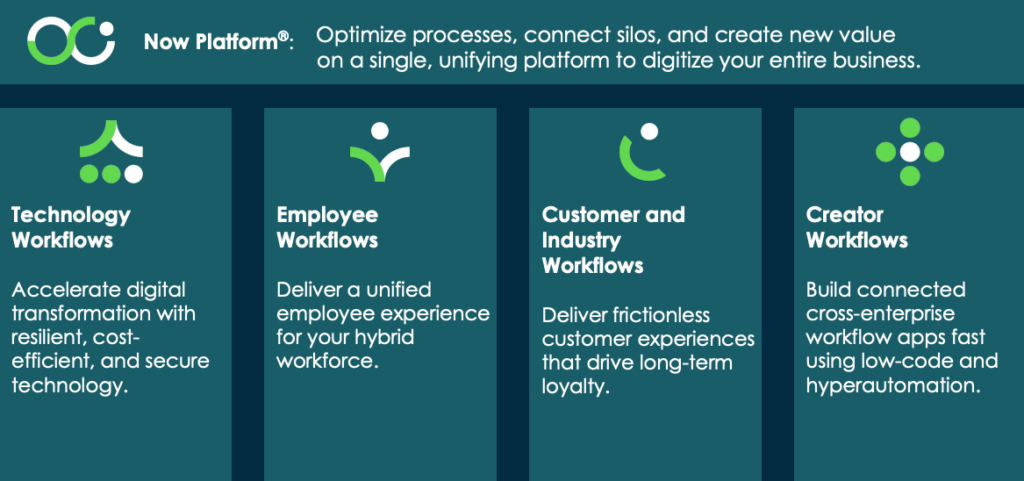
Why Choose ServiceNow?
ServiceNow stands out among its competitors for several compelling reasons:
1. Streamlined Automation
With ServiceNow, you can automate a vast range of tasks across departments. For IT teams, this includes incident management, change management, and asset management. HR teams benefit from automating onboarding, payroll, and internal requests. Customer service departments can streamline ticket resolution, data collection, and follow-up processes. This efficiency enables teams to focus on their core responsibilities rather than getting bogged down by administrative tasks.
2. Cross-Department Efficiency
One of the most significant advantages of ServiceNow is its ability to eliminate departmental silos. With a single platform, IT, HR, and customer service teams can work together more effectively. Imagine an HR team needing IT support for onboarding a new hire. ServiceNow allows HR to submit a request that the IT team can view and act on in real time. This kind of interdepartmental collaboration results in quicker turnaround times and improves overall service delivery.
3. Customization at Scale
Every organization is unique, and ServiceNow understands this. The platform allows businesses to customize workflows according to their needs. Whether you have specific compliance requirements or unique customer requests, ServiceNow can be tailored to fit those demands, ensuring that your workflows are not only efficient but also relevant.
4. User-Friendly Interface
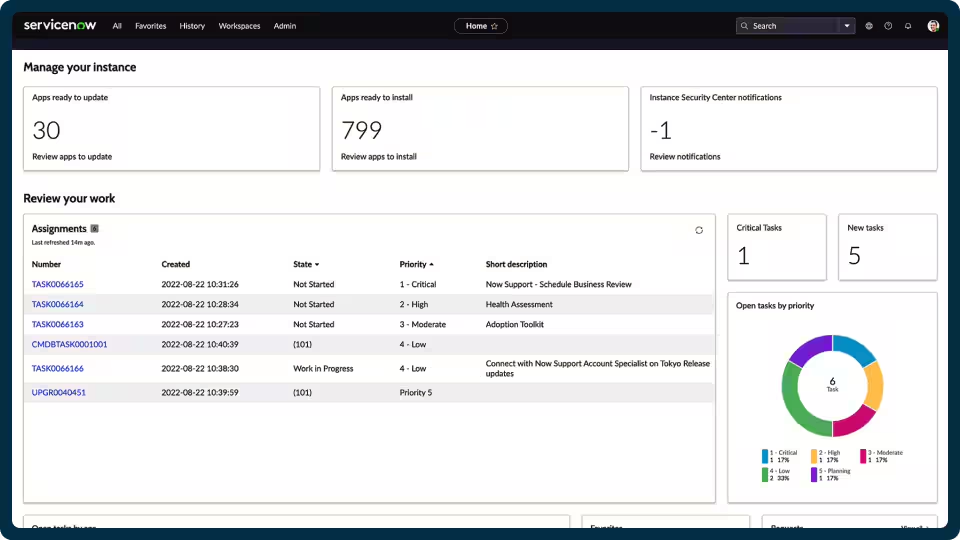
ServiceNow has invested heavily in designing a user-friendly interface. With intuitive navigation and clear layouts, both technical and non-technical users can easily access functionalities. This feature speeds up user adoption and minimizes the time spent on training. When employees can navigate a system without confusion, they are more likely to utilize it effectively.
Real-World Impact
To illustrate the effectiveness of ServiceNow, let’s consider some industry-specific examples.
IT Services
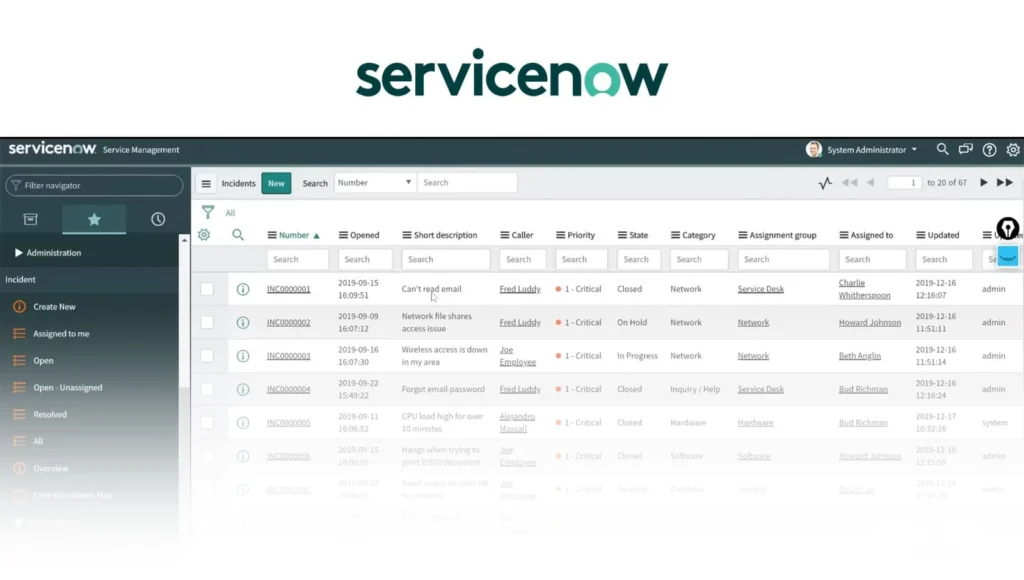
In the IT services sector, ServiceNow has been transformative. Companies that traditionally relied on manual ticketing processes can switch to automated incident management. A leading telecommunications firm reduced its ticket resolution time by 60% after integrating ServiceNow. The automation of workflows allowed IT staff to focus on more complex issues, which enhanced overall service quality.
Human Resources
For HR departments, ServiceNow simplifies tasks like onboarding new employees. By automating the onboarding process, a global retail chain was able to reduce the time taken to integrate new hires by over 40%. Employees spend less time on paperwork and more time engaging with new staff, fostering a better work environment.
Customer Service
In customer service, automated workflows enable faster response times. A healthcare provider adopted ServiceNow to handle patient inquiries. The result? A 70% reduction in call handling times and improved patient satisfaction scores. With efficient workflows, customer service representatives can provide timely support, enhancing the overall service experience.
Frequently Asked Questions
1. What Types of Processes Can I Automate with ServiceNow?
ServiceNow can help automate a variety of processes, including but not limited to:
- IT Service Management: Incident tracking and management, change management, asset management.
- Human Resources: Employee onboarding, offboarding, payroll processing, internal requests.
- Customer Service: Ticket resolution, data collection, follow-up processes.
2. How Secure Is My Data with ServiceNow?
Security is a core aspect of ServiceNow. The platform is designed with compliance in mind, incorporating strong encryption methods and following global standards. Regular security updates and audits help ensure that your data remains protected.
3. Can I Customize ServiceNow for My Specific Business Needs?
Yes! ServiceNow offers extensive customization options. You can adapt workflows, user roles, and data entry forms to fit the unique needs of your organization. This level of customization is one of the main reasons businesses choose ServiceNow over its competitors.
4. Do I Need Technical Skills to Use ServiceNow?
While some technical skills can be beneficial, ServiceNow’s user-friendly interface minimizes the necessity for advanced technical skills. Most users can learn to navigate the platform quickly, facilitating faster adoption across departments.
5. How Do I Get Started with ServiceNow?
You can get started by visiting the ServiceNow website and exploring their offerings. They provide resources and documentation to guide you through the implementation process.
Customer Support Services
At ServiceNow, customer support is a top priority. They offer 24/7 assistance through multiple channels. If you encounter any issues or have questions, you can reach out to the ServiceNow Support portal, where dedicated teams are ready to help.
Creating an Account on ServiceNow
- Visit the ServiceNow Website: Start by going to ServiceNow.
- Click on ‘Sign Up’: Look for the ‘Sign Up’ button in the top navigation bar.
- Fill in Your Details: Enter the requested information, including your email address and business details.
- Verify Your Email: After signing up, check your email for a verification link. Click this link to confirm your account.
- Set Up Your Profile: Follow the prompts to complete your profile setup.
- Explore!: Once your account is set up, you can access the dashboard and begin exploring the features available.
Conclusion
In a world where speed and agility are paramount, ServiceNow stands as a beacon for organizations looking to digitalize and streamline their workflows. By adopting ServiceNow, your business can embrace automation, enhance collaboration, and foster a culture of efficiency that propels growth.
Don’t let outdated processes hold you back. Dive into the future of work with ServiceNow!
For more information, visit ServiceNow Product Overview.
Leave a Reply